What are Stealer Logs? The Invisible Threat
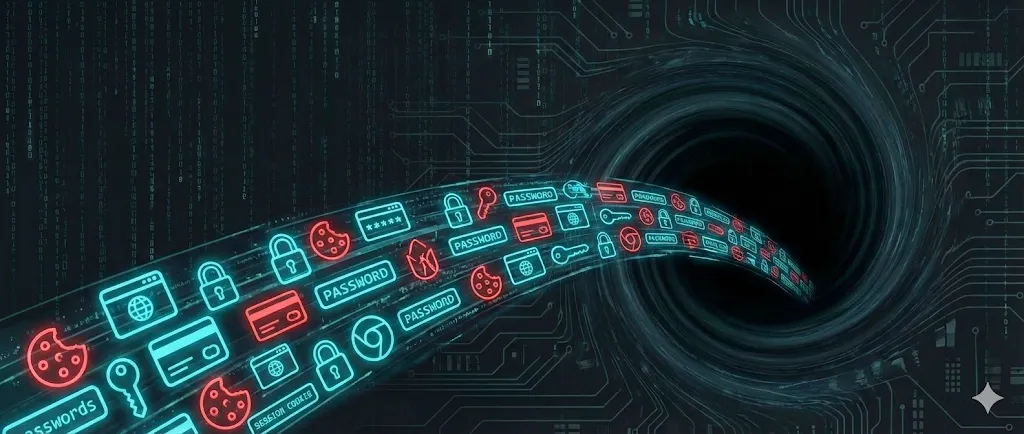
Table of Contents
Reading the term ‘Stealer Logs’ in your data breach report is a red alert. Unlike classic hacks where companies are targeted, this threat aims directly at your personal computer.
Key Takeaway: A ‘Stealer Log’ isn’t a website that got hacked. It is proof that a device you used to log in was running malware that copied all your passwords.
How do you get infected?
Perpetrators use so-called ‘Info Stealers’ (e.g., RedLine, Raccoon, Vidar). This malware must be actively executed on your computer. Usually, you download it yourself — disguised as something you want.
Cracked Software
The most common way. You search for ‘Photoshop Crack’. The software might work, but the stealer runs in the background.
Gaming Cheats
Videos promising ‘cheats’. The link in the description leads straight to the malware.
Malvertising
Fake Google ads that look like ‘VLC’ or ‘CapCut’ but serve you an infected version.
What gets stolen?
Once the malware runs, it ‘sucks’ all valuable data from your system in seconds and sends it to the criminals.
- Browser Passwords — Everything from Chrome, Edge, Safari.
- Session Cookies — Active logins without password.
- Crypto Wallets — Private keys and seeds.
- Auto-Fill Data — Addresses, names, credit cards.
The Danger of Session Cookies
Session Hijacking: Cookies allow criminals to impersonate YOU without knowing your password and sometimes without dealing with Two-Factor Authentication (2FA).
Imagine your browser already has the ‘key’ to your Gmail account plugged in. The malware simply copies this key (the cookie) and uses it on another computer.
The Market for Your Data
Your data is sold as a ‘Log’ (package) on illegal marketplaces on the Dark Web. Buyers target specific valuable accounts like PayPal or crypto exchanges.
How to protect yourself?
Classic antivirus programs often fail against modern info-stealers because the malware is constantly evolving. You need a proactive strategy.
Professional Password Managers
Never store passwords directly in your browser (Chrome, Edge). Use specialized managers like Bitwarden, 1Password or NordPass. These encrypt your data separately from the browser. Learn more in our Password Manager Comparison.
Real-time Link Checking
Use tools that check links as you click them. The Threat Protection from NordVPN or browser extensions like Malwarebytes Browser Guard and Bitdefender TrafficLight block dangerous websites before malicious code is loaded.
Pro-Tip: 2FA is Mandatory. Even if a stealer has your password, Two-Factor Authentication (2FA) usually stops the attacker. Learn here how to set up 2FA correctly.
Recovery Plan: What to do?
GOLDEN RULE: Do NOT change your passwords on the infected computer until it has been completely cleaned!
1. Eliminate Infection
Safest way: Reinstall Windows completely. Antivirus programs often don’t find all remnants.
2. Change Passwords (Clean Device)
Use your phone or a tablet. Change email password first. Tips for secure passwords can be found here.
3. Invalidate Sessions
Look for ‘Log out all devices’ in your accounts. This makes stolen cookies worthless.
4. Check Finances
Check your bank accounts, PayPal, and credit cards for unknown charges from the last few weeks.
5. Strengthen MFA/2FA
Enable 2FA everywhere (App-based, no SMS!). If it was already on: check for new, unknown backup codes.
6. Clean Browser Data
Clear browser cache, cookies, and saved form data (Auto-Fill) to remove old remnants.
Start Check — Check Your Security
Find out if your email has appeared in other databases.
Share
About the Author
amitoast Team
Editorial Team
The amitoast team helps you improve your online security. We research, test, and explain – so you stay protected.